
Digital Stamps for Starters – videos
Posted: January 11, 2024 Filed under: Christmas stockings digital stamp set, digital stamps for starters, Echidna Studios, Tutorial | Tags: digital stamps, Echidna Studios, video 4 Comments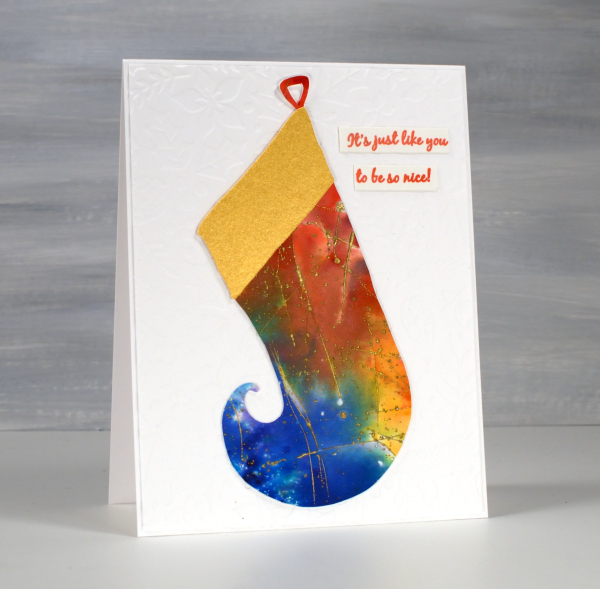
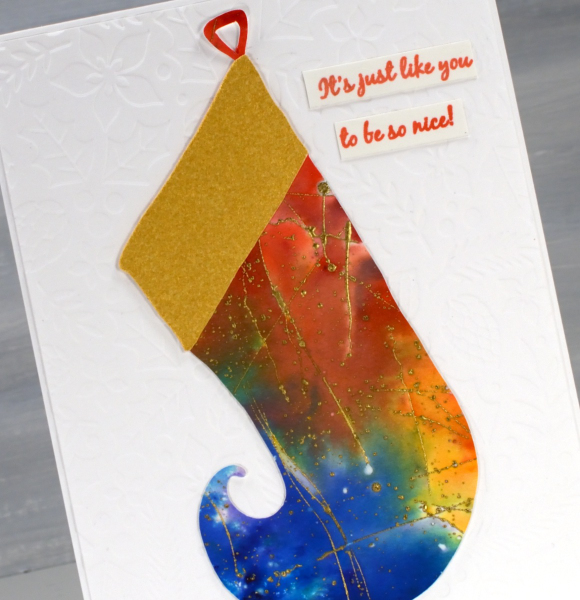
I know the 12 days of Christmas are over, but I have one more Christmassy card to share before other themes and occasions start to appear. The style of this card will be familiar to you as I have become a fan of embossed backgrounds; this one is Gina K’s ‘holiday flora’ folder. On top is a stocking from Echidna Studios. Last year the digital Christmas Stocking stamps were released including three intricately patterned stockings for printing. This year the set is expanded to include cutting files so you can cut these lovely curly toe stockings from any cardstock you like. I chose an embossed and watercoloured scrap I had been hoarding for years!
Over the past year as I have featured digital stamps from Echidna Studios many of you have expressed interest but not known where to start with digital designs. As promised we have some how-to videos created by my daughter and posted on the Echidna Studios youtube channel. The first video explains how to buy a digital stamp on Etsy. If you find my daughter is speaking rather quickly just change the setting to 75% or hit pause to catch your breath; she is quite speedy in this first video!
In the second video she explains how to open the SVG file on your computer for printing. She and I both use inkscape to open our digital files, it is free to install on your computer. But I’ll let her explain all that:
The third video explains how to use the files to create a card. Resizing, centering and adding words are all covered in detail and I followed her instructions myself the other day to print a couple of the gingerbread digital stamps on cardstock for future cards. I definitely paused the video at times to re-watch and take note of all the steps. When I had a question I did have the video creator in the house to ask but if you have questions please put them in the comments under the video and one of us will get back to you as soon as possible.
We hope you will follow the Echidna Studios youtube channel and consider trying digital stamps and cutting files if you haven’t already. There are more videos and products coming this year. As this is my first post of 2024 I wish you happy new year! I look forward to creating and sharing all sorts of projects on the blog this year. There will be cards, art journaling, watercolouring, gel printing, collage, handmade books and more. What are you hoping to create this year?







 Heather Telford
I appreciate the effort your daughter went to in creating these videos….HOWEVER, as you mentioned, she is way too speedy…in all of them. I have some experience using MS Publisher and Photoshop Elements and I found it hard to follow her! So anybody who is really a beginner would be lost. I simply gave up. Sorry…
Such a pretty watercoloured and embossed piece of card you used for the beautiful stocking Heather, and I love the white embossed background which goes beautifully. I am so pleased that your daughter is doing so well with her digital stamps, so wonderfully creative…a chip off the old block as they say..lol. I’m sure she will go from strength to strength! x
Happy New Year Heather. I think that you have created a really pretty card here. I find it very difficult to find the time these days to use the stamps and materials that I already have so unfortunately, I doubt I will learn the new skills required to venture down the digital route.
Thank you for the tutorials. Unfortunately it was very difficult to follow what your daughter was selecting. I’d love to see a ‘digital files for dummies” as I’d really like to start using digital files but I don’t know how to use them.